Some of the year’s loveliest memories are made far away from Christmas markets and fairy lights. Perhaps on a mountain hike, by the sea, during a family outing or on a trip you will remember for years to come. These are the very photos you would love to send to someone. But they often lack that festive feel you want for a Christmas card.
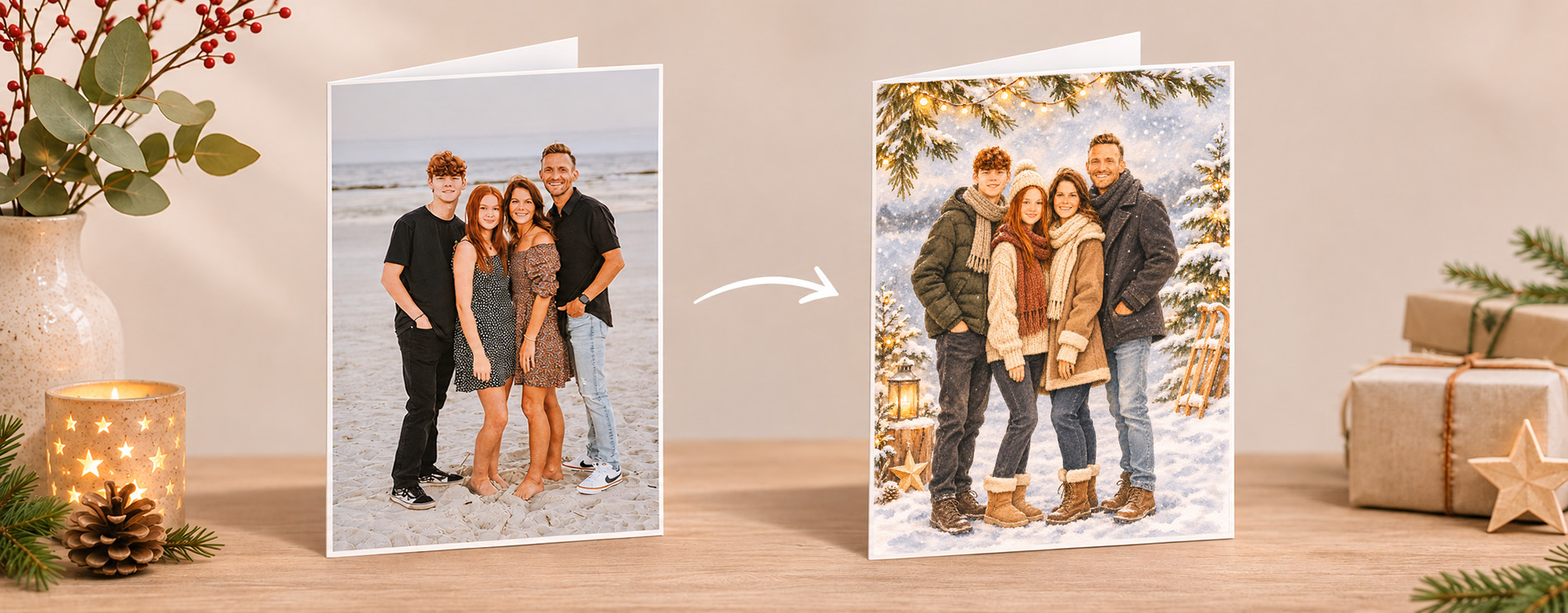
The good news is that AI can turn your favourite photos into atmospheric works of art. Whether in a Scandinavian papercut style with delicate paper-cut details, fir trees and stars, or as a watercolour illustration with gentle colours and a hand-painted look. That summer holiday photo becomes a unique Christmas design that feels personal and perfectly suited to the festive season.
This is a particularly creative option for travel photos. Rather than searching for that one perfect Christmas picture, you can give the best moments of your year a new artistic style and a festive atmosphere. The result is Christmas cards that not only look seasonal but also share genuine memories.
In this article, we show you two simple prompts for transforming your photos into Scandinavian papercut or watercolour illustrations. After all, the most meaningful Christmas greetings often come from moments you have treasured throughout the year.
Style 1 – Scandinavian Papercut
This style resembles intricate paper-cut artwork. Its defining features are overlapping layers, clean shapes and delicate cut-outs that give the image depth. Winter elements such as fir trees, stars, snowflakes, houses and woodland scenes are often incorporated. The result is simple, elegant and cosy, with a distinctly Scandinavian feel.
Paper tip: Invercote or Genesis
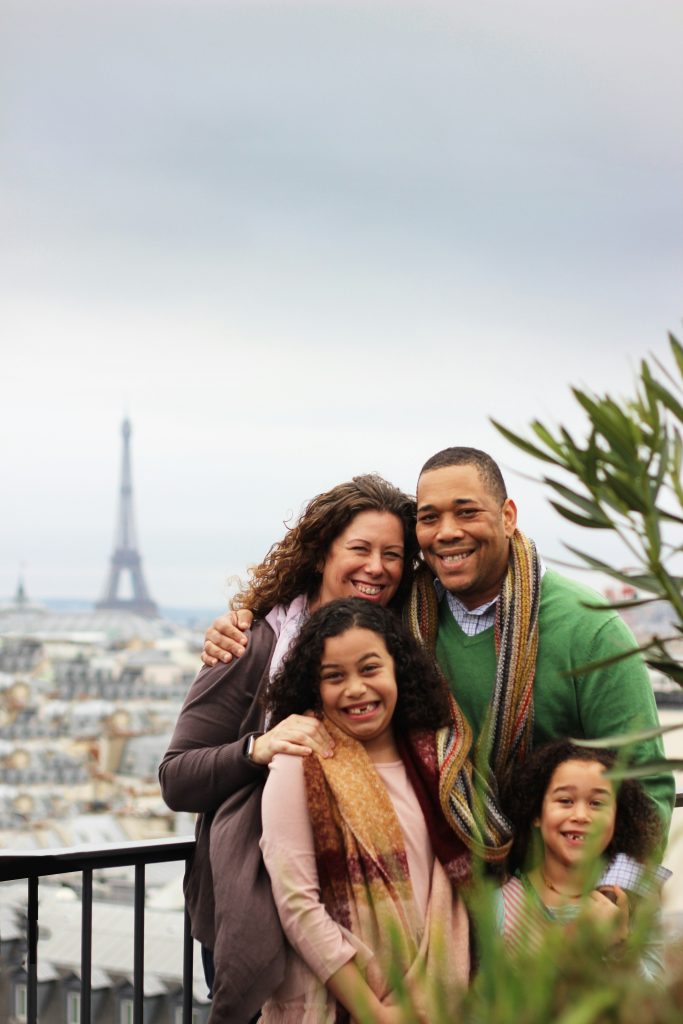
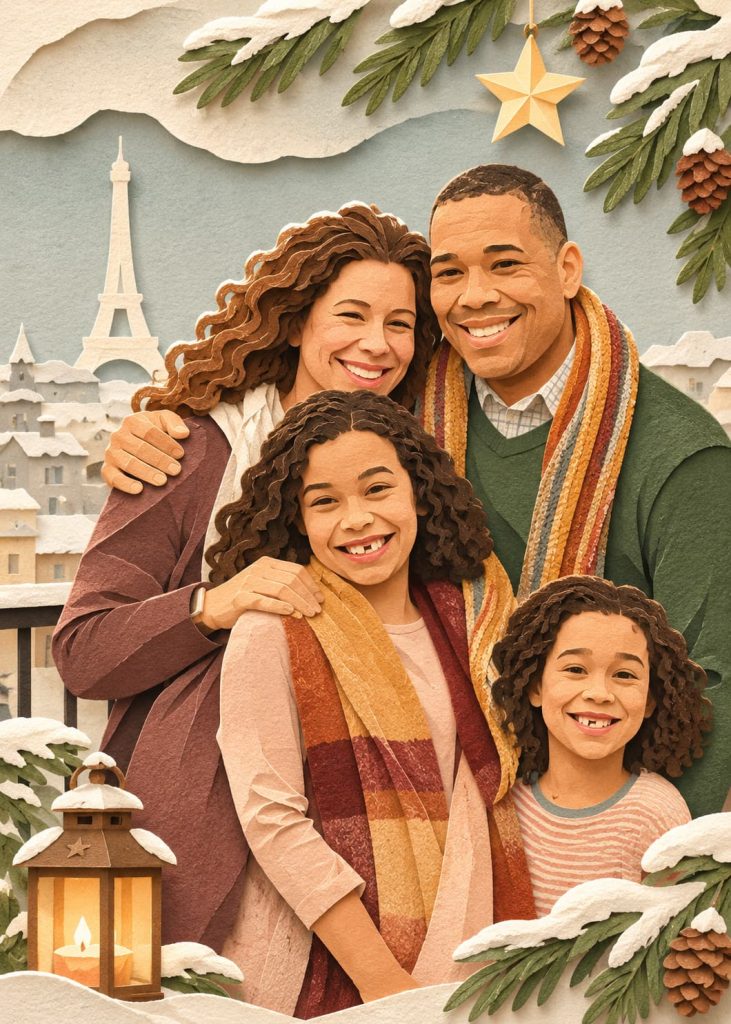
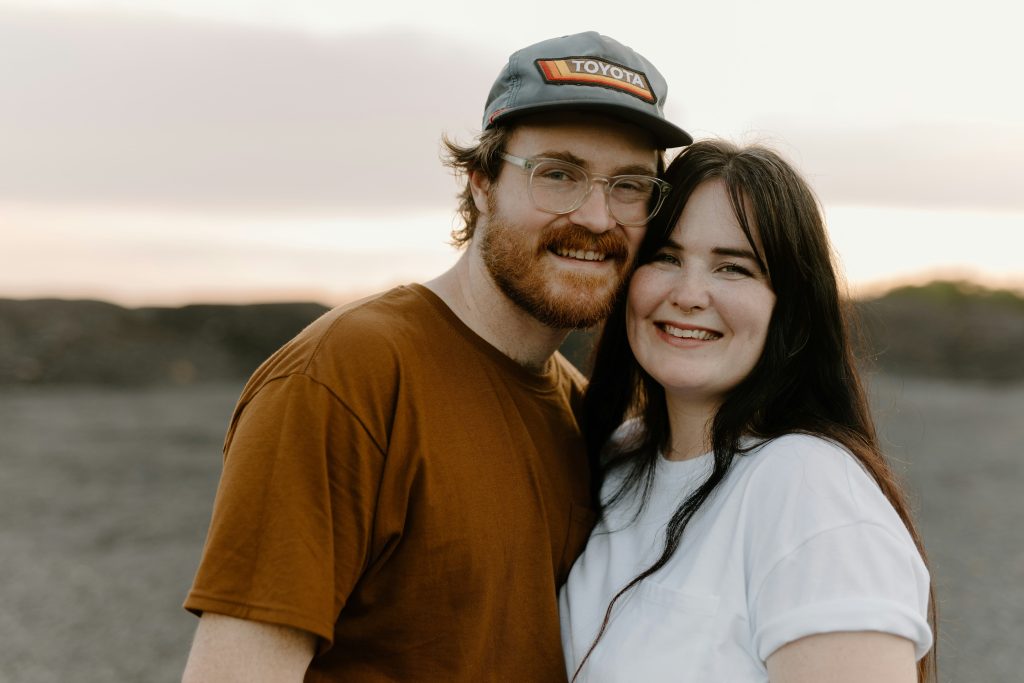
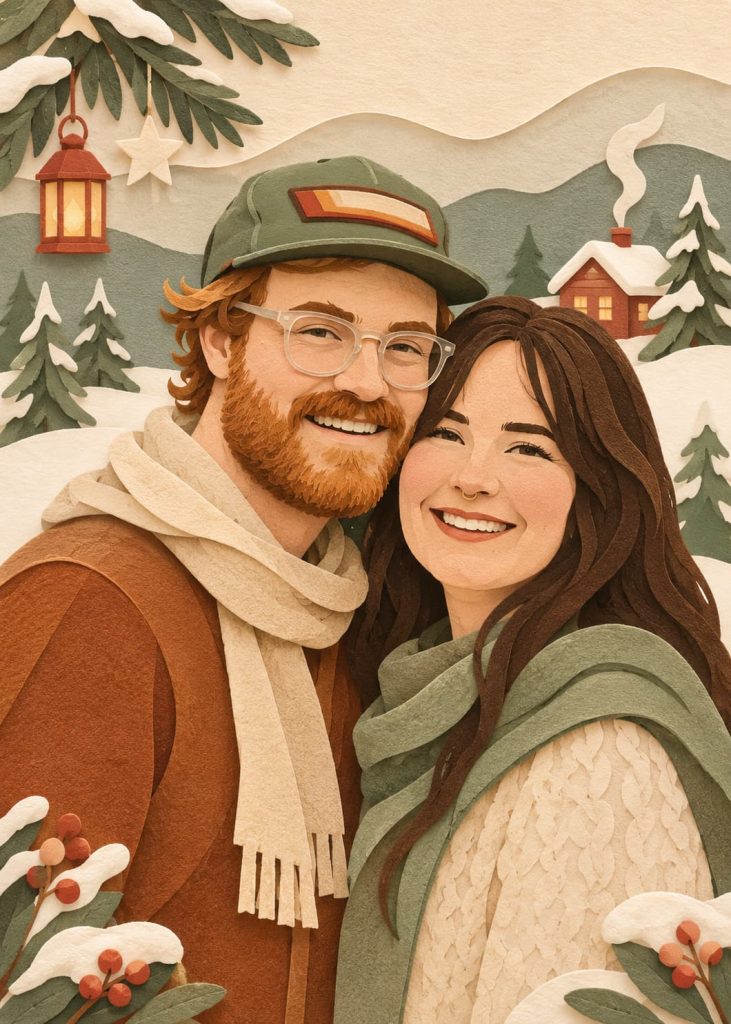
Prompt for your AI platform
Transform the uploaded photo into a charming Scandinavian Christmas illustration in a cosy strongly layered papercut style. Preserve the recognisable features and number of subjects while simplifying them into soft, organic paper-cut shapes. Create a festive Nordic winter atmosphere with subtle Christmas details, delicate handmade paper textures, layered depth and soft shadows. Use a warm, muted colour palette of sage green, forest green, cream, beige, terracotta and warm brown. Minimalistic, elegant, playful and harmonious. No black outlines, no bright colours, no text. Print format: A5 portrait, 3 mm bleed on all sides (154 × 216 mm), 300 dpi, minimum 1819 × 2552 pixels. Keep important elements within the safe area.
Style 2 – Watercolour
This style transforms photos into images that look like hand-painted works of art. Soft colour transitions, gentle outlines and a warm feel give your memories a particularly atmospheric and personal touch. Ideal for creative, timeless Christmas cards.
Paper tip: Genesis
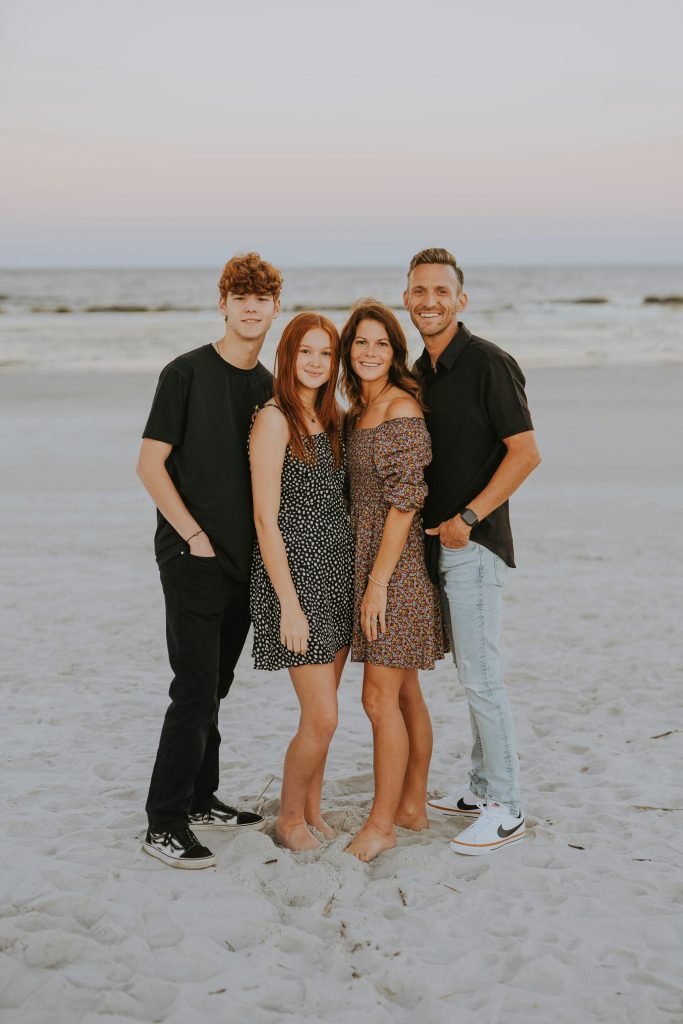
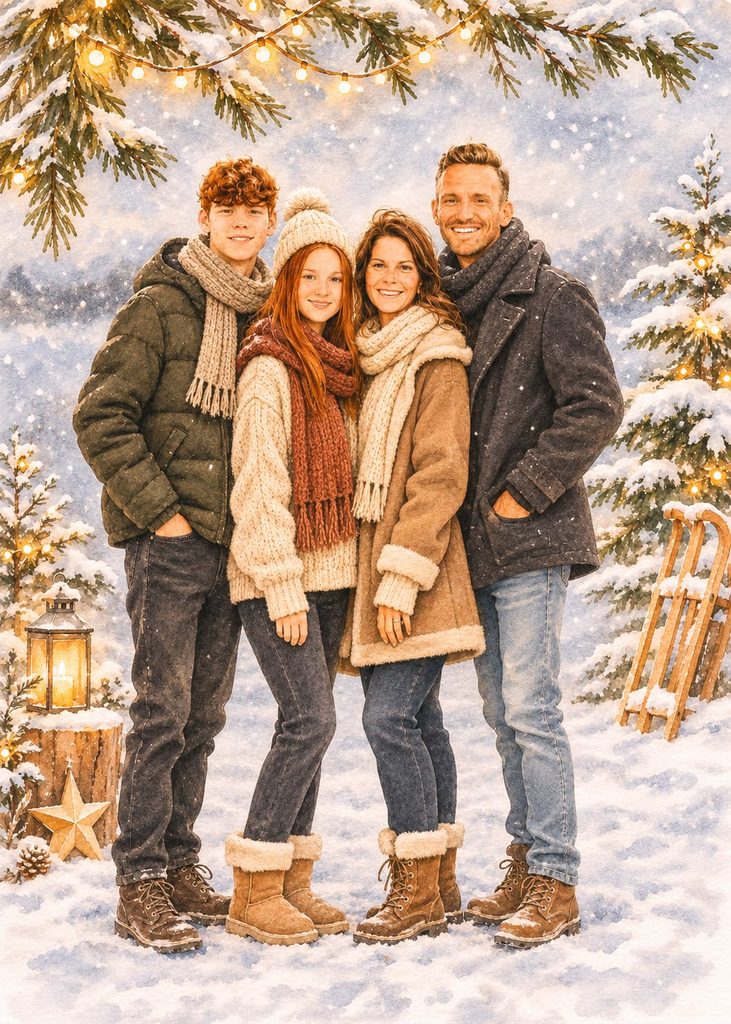
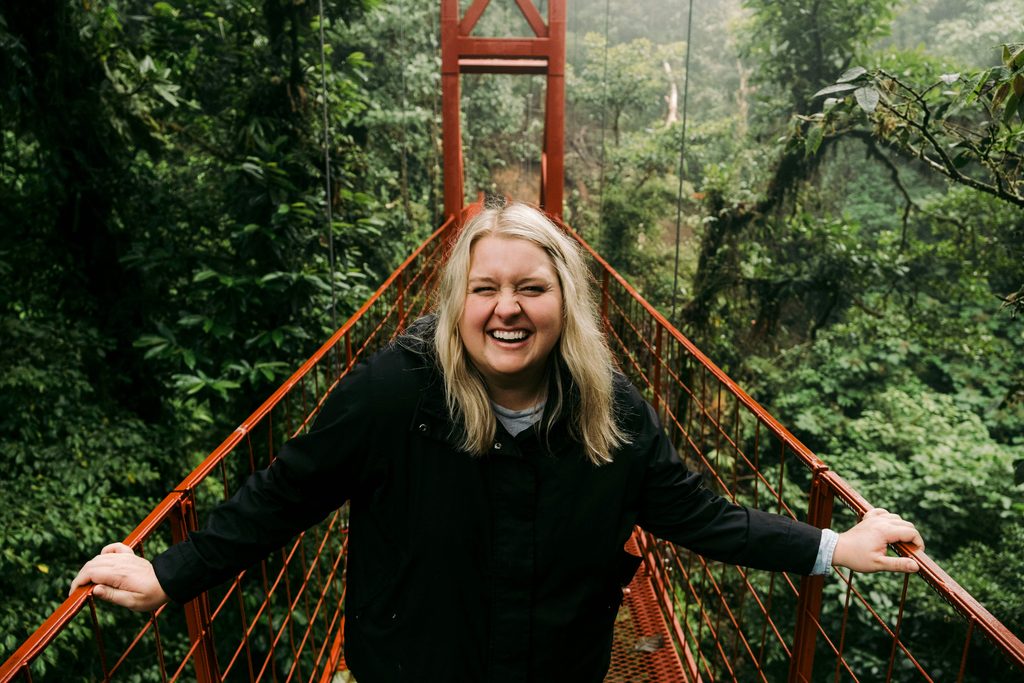
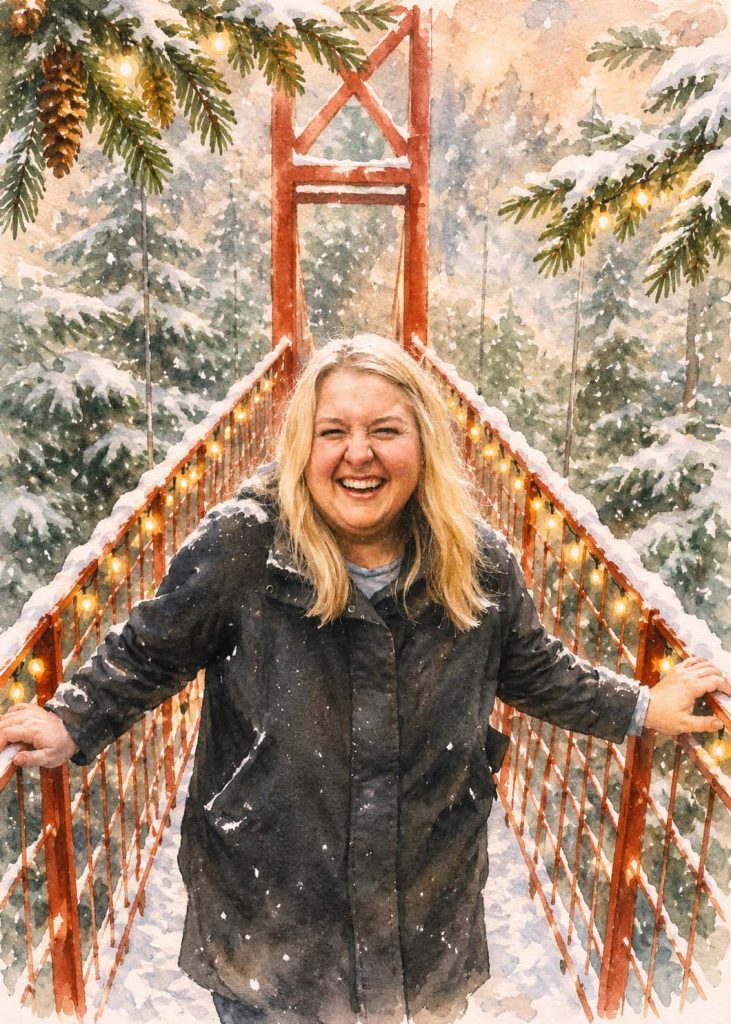
Prompt for your AI platform
Transform this photo into a beautiful Christmas watercolour illustration with soft, warm colours, a snowy winter setting, fir branches and subtle festive lights. Preserve the people’s facial features, likeness and original composition. Detailed, high-quality watercolour style. No text. A5 portrait, 3 mm bleed on all sides, 300 dpi, print-ready PNG (1819 × 2552 pixels).
How to generate your illustration:
- Copy your chosen prompt from this blog and paste it into your AI platform.
- Drag the photo you want to transform directly into the text input field. Press Enter or click Generate.
- The AI will then create your new image, which you can download.
If you are not completely happy with the result, you can tell the AI what you would like to change. I have specified A5 here, but you can adapt the prompt to your preferred format.
Want to create your own prompt in ChatGPT?
- Find a style reference
Look for an illustration or image in the style you want for your photo. Choose a reference that reflects your desired style but is also as close as possible to your own photo in subject matter and, ideally, colour palette. This makes the whole process easier. - Have the style analysed
Upload the illustration to ChatGPT and ask the AI to describe its style in detail. - Transform your own photo
Now upload your photo and ask the AI to transform it into an illustration using the style description. - Review the result
Take a look at the generated illustration. - Give feedback
Describe what you do not like or what you would like to see more of, then ask the AI to generate another version. - Repeat until you are happy
Repeat steps 4 and 5 until you are happy with the result. - Create your final prompt
Ask ChatGPT to turn this into a prompt describing the mood, linework, colour palette and overall style, rather than the specific content of the image. - Test your prompt
Open a new chat and try your prompt on a photo. You will never get exactly the same result twice, but you can keep refining the prompt until you achieve a consistent style. - Ensure print quality
Make sure your image has the correct dimensions and resolution. For A4: at least 2480 × 3508 px at 300 dpi. Add this to your prompt, for example: Output must be in high resolution (at least 2480 × 3508 px / 300 dpi) suitable for professional A4 printing without quality loss.
Please note:
- These images were created with ChatGPT. Depending on your ChatGPT subscription and settings, uploaded photos may be used to train AI models.
- There is no guarantee that your generated images will look exactly like the examples in this blog. Even with the same original photo and prompt, each attempt may produce a different result. Every output is unique.
- If you want to create a series of images in a similar style, it is best to stay in the same chat. If, on the other hand, you do not want the AI to use previously generated images as references, start a new chat without that earlier context.
Frequently asked questions & answers
Yes. Portraits, family photos, travel pictures and photos of special moments throughout the year work particularly well. With the right prompts, even summer photos can become festive Christmas designs.
That depends on the style you choose. Both Scandinavian papercut and watercolour styles are based on the original photo. The main subjects, people and memories usually remain recognisable, but are reinterpreted artistically.
No. With a suitable prompt, you can achieve impressive results in just a few steps. Many AI tools do most of the work automatically.