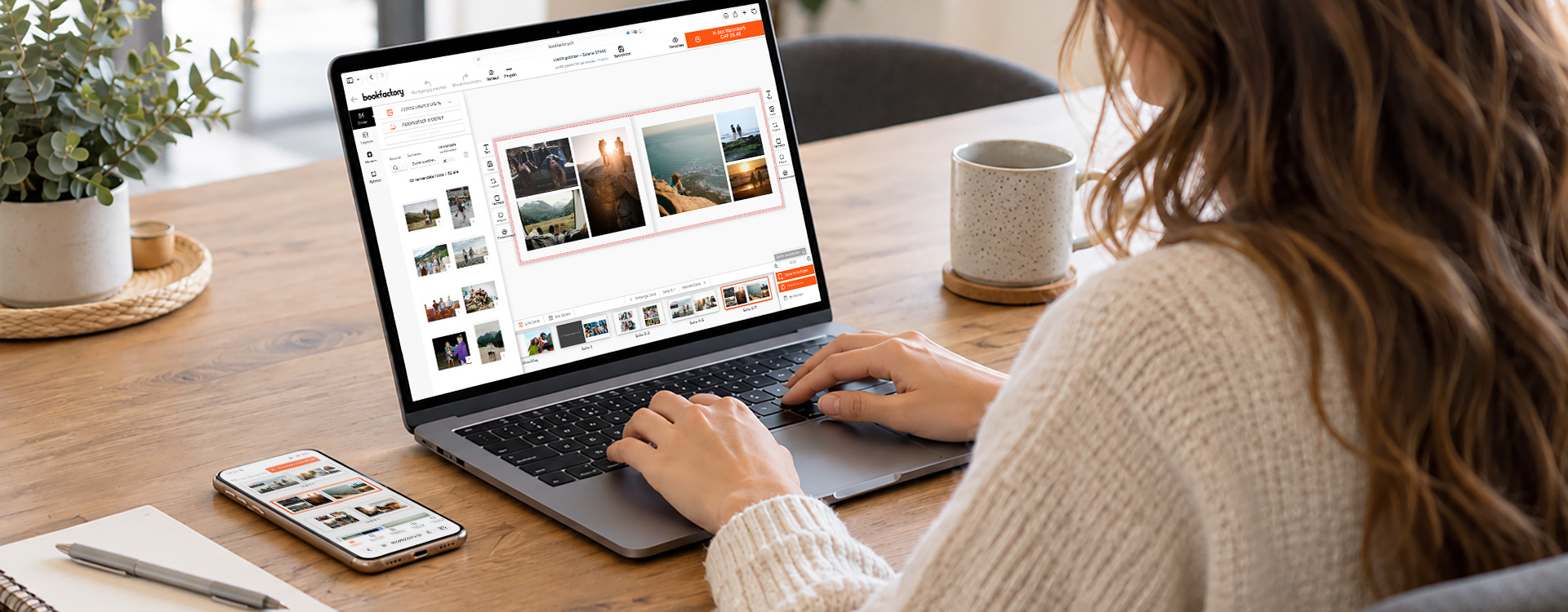
A photo book is much more than just a collection of pictures. It tells stories, preserves memories and lets you relive special moments again and again. With the Bookfactory Online Editor, you can create your photo book quickly and easily, directly in your browser, with no download required and on your computer, tablet or smartphone. Whether it’s a travel album, wedding album, family chronicle or a personal gift, the right design tips will help turn your photo book into something truly special.
Choose the right photo book for your project
Before you start designing, it’s worth taking a quick look at the type of project you’re working on. Different photo books are suitable depending on the purpose and number of photos. The product range extends from small booklets to very high-quality premium or photographic books.
A rule of thumb
If you want an inexpensive photo book with as little effort as possible:
→ Photobook Booklet – the perfect magazine-style product for various occasions.
For a beautiful, personal gift:
→ Photobook Flex or Photobook Flat Cube
If you want to tell an entire story:
→ Photobook Premium – especially if you have a lot of photos. Up to 400 pages are possible.
So that the photos are the focus:
→ Photobook Photographic – real photo paper and flatbook binding.
As a photography portfolio or coffee table book:
→ Photobook Flat Open – with its open bookbinding, it’s a real eye-catcher.
For special moments, whether weddings, birthdays or unforgettable trips:
→ Photobook Photographic – for maximum photo quality.
For anyone who wants to create a photo book online quickly and easily, the Bookfactory Online Editor is the ideal solution. Thanks to its intuitive operation, automatic design options, and numerous templates, it is suitable for both beginners and experienced designers.
Especially practical: You can create and save your photo book directly on your smartphone, tablet or computer and continue working on it at any time – without installing any software. For example, you can select photos and start designing your photo book on your smartphone while you’re on the go, then continue working on it later on another device.
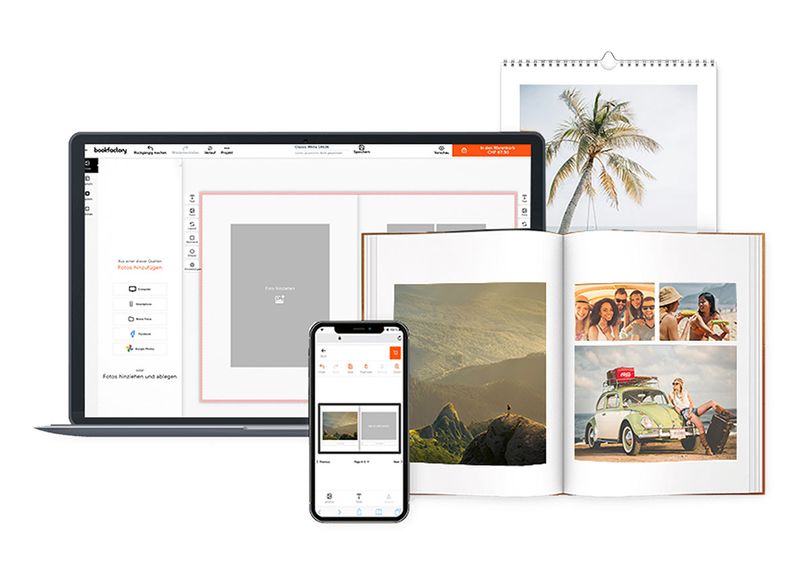
‘The online editor is suitable for anyone who wants to create a photo book quickly and easily. Thanks to its intuitive operation, even users without design experience can achieve impressive results.’
Choose the right format
The choice of size and orientation greatly influences the impact of your photo book. Use the ‘Format’ product filter to specifically search for suitable photo books.
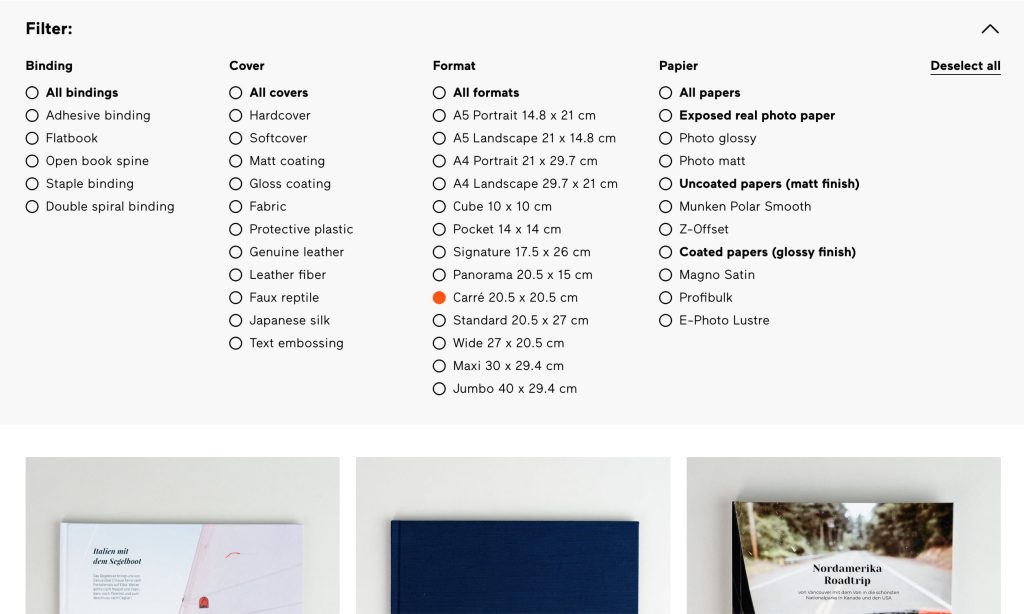
Tip: Choose the format based on the predominant image material. This will help you avoid unnecessary cropping later.
Photo book in landscape format
Ideal for:
- Travel
- Landscape photographs
- Group photos
- Panorama photos
Photo book in portrait format
Perfect for:
- Portraits
- Wedding photos
- Family photos
Square photo books
Popular for:
- Social Media Photos
- Mixed visual worlds
- Kreative Layouts
- Modern Designs
Use the appropriate design template
The online editor offers a variety of design templates. Use the search function and category filters to find the perfect template for your needs and occasion, such as travel, weddings, baby showers, or yearbooks. The advantage: colors, fonts, and design elements are all perfectly coordinated.
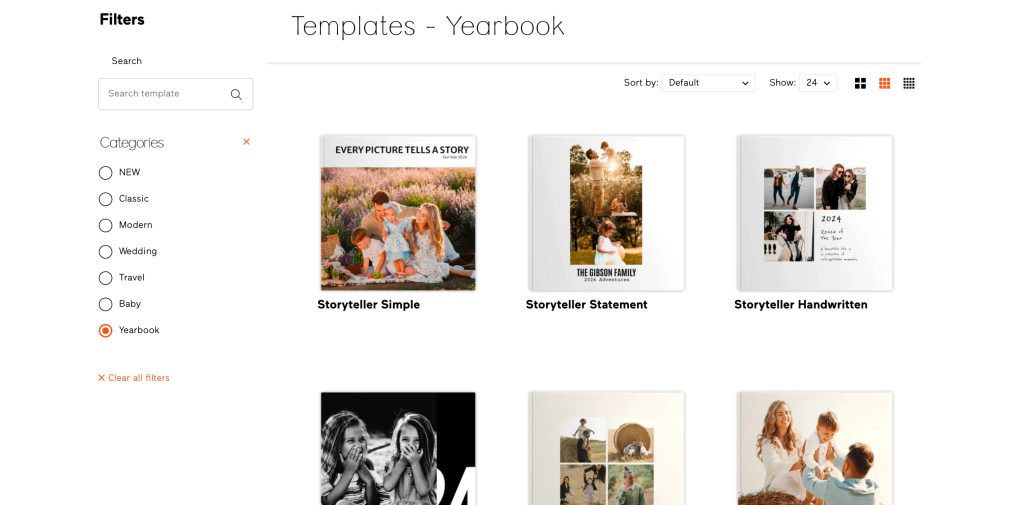
Tip: Using a suitable template will give your photo book a uniform look from the start.
Create photo books automatically with the Smart Editor
Want to create your photo book as quickly as possible? Then use the Smart Editor. It automatically arranges your images and generates an initial design proposal in a short time.
This is especially helpful if you:
- You have many photos
- want to invest little time
- If you want to quickly create a gift
- looking for initial inspiration
Of course, you can then customize each page individually and refine it to your liking.
Tip: An automatically generated photo book can serve as a starting point. Layouts, images, colors, and text can be changed later.
Creative support through layout suggestions
It’s not always clear which layout best suits a page. The layout suggestions offer suitable page layouts and arrangements to make your photo book more visually appealing. This results in exciting image combinations and varied layouts. Especially in larger photo books, this ensures a harmonious and consistent design style.
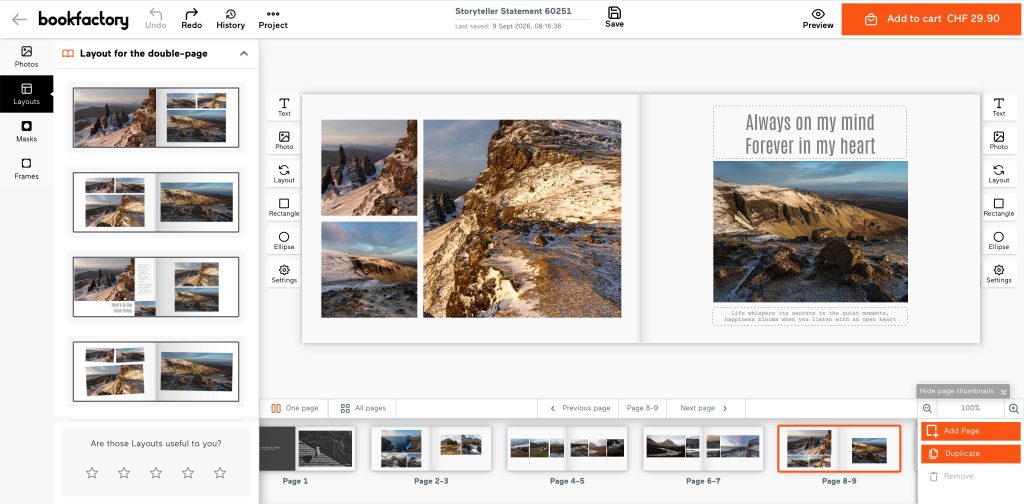
Tip: Try out different layout suggestions for double pages or single pages. You can undo the change at any time if you don’t like the suggestion.
Tips for designing a photo book
Less is more
Be careful not to mix too many different design styles within a single photo book. A consistent design creates a sense of calm and professionalism.
Try out layout suggestions
Several layouts are available for each page. Switching between them can instantly improve the presentation of your photos.
Create variety with layouts
The page layout plays a central role in the impact of your photo book.
Let individual images have their effect
Special moments sometimes deserve a whole page. Large-format images attract attention and let emotions speak for themselves.
Combining multiple images
Photo series or events can be excellently told with multiple pictures on one page.
Tip: Vary between calm pages with few images and dynamic pages with multiple photos.
Telling stories with texts
A photo book feels more personal when it not only shows pictures but also tells stories.
Use background colors strategically
A suitable background color can further enhance images. In the online editor, you can customize backgrounds. The eyedropper tool is particularly helpful for this. It allows you to directly select colors from your photos and create a harmonious overall look.
Use black and white effects deliberately
Not every picture has to be in color. The black and white effect can make individual photos look particularly elegant and emotional. The combination of black and white and color photos is especially beautiful.
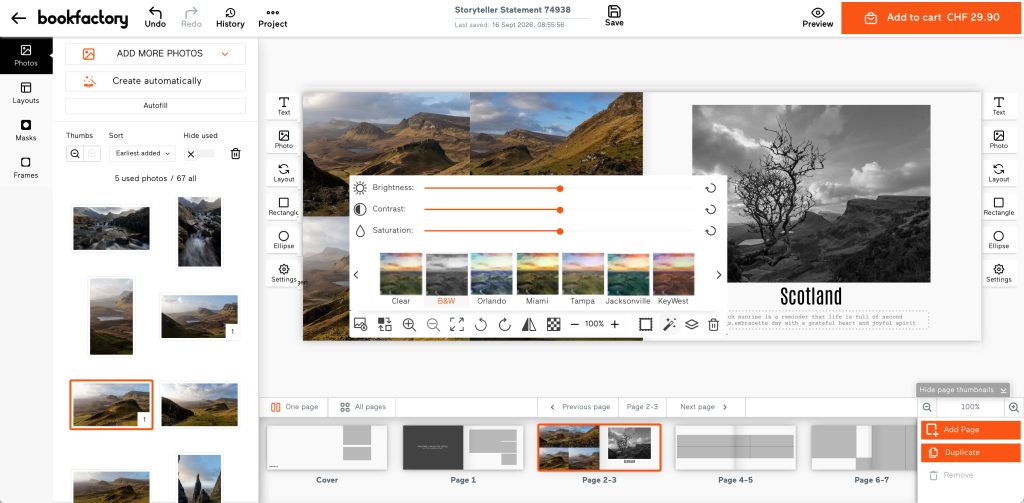
Tip: Select a photo and open the image effects (magic wand icon) to apply an effect to the photo.
Inspiration for your next photo book
Are you still missing the right idea for your next project?
Whether travelogues, family chronicles, year-end reviews or creative gift ideas – in our inspiration section you will find numerous suggestions for your personal photo book.
Summary
With the Bookfactory Online Editor, you can create a high-quality photo book quickly and easily, directly in your browser, on your smartphone, tablet or computer. Features such as the Smart Editor, layout suggestions, image effects and a wide range of design templates help you create impressive photo books, even without any previous experience.
Choose the right format and use the creative tools in the Online Editor to bring your ideas to life. The result is a photo book that doesn’t just preserve your memories, but brings them to life.
Frequently Asked Questions (FAQ)
With the Bookfactory Online Editor, you can design your photo book directly in your browser. Upload photos, choose a template and customise the pages.
Yes. The Online Editor also works on smartphones and tablets.
The Smart Editor selects the best photos and automatically creates an initial design proposal for your photo book. This saves you a lot of time.
No. The Online Editor is entirely web-based and requires no installation.
There are templates for travel, weddings and yearbooks, amongst others.